 OpenMock Blog
Guides
A free device mockup generator that never uploads your files
What free and private mean in OpenMock: no account, no upload, images free forever, video free at 720p, fair-source code — and what Pro adds.
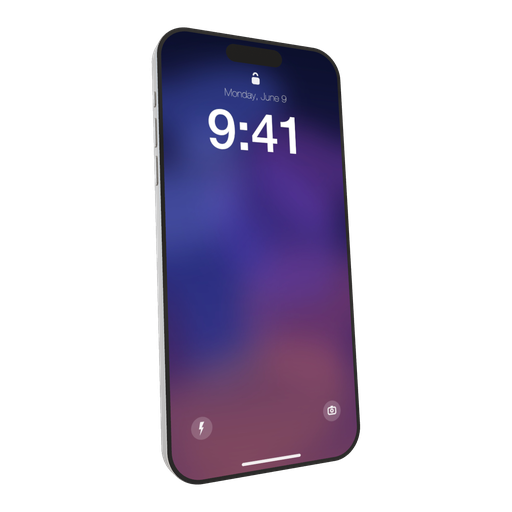
"Free mockup generator" usually means one of three things: free until you export, free with a watermark, or free in exchange for your email and your screenshots on someone's server. This page is a plain statement of what OpenMock does and does not do, so you can decide in a minute whether it fits.
What happens to your files
Nothing leaves your computer. OpenMock is a web page that runs a 3D renderer (WebGL) and a video encoder (WebCodecs) inside your browser. When you drop a screenshot or a screen recording onto a device:
- The file is read by the browser and kept in local storage on your machine.
- Rendering happens on your GPU, in the tab.
- Video encoding uses your browser's built-in hardware encoder.
- The exported MP4 or PNG is written straight to your Downloads folder.
There is no account, no login, no server that receives media, and no analytics on your content. Close the tab and the project is gone unless you saved it — as a local file, to your disk.
This is not a policy promise; it is how the software is built, and the code is public. OpenMock is fair source under the FSL-1.1-MIT licence: you can read the renderer, the export pipeline and the licensing code on GitHub, run it yourself, and verify that "nothing uploads" is a description rather than a slogan.
What is free
Image export is free, forever, with no watermark and no signup. PNG, JPEG and WebP, at any preset or custom size — App Store sizes, 4K, transparent PNG for your own layouts. Every device, every environment, every effect. This covers the majority of what people use a mockup generator for: a hero image, a store screenshot set, a social post, a press-kit render.
Video export is free at up to 720p (1280 × 720 or 720 × 1280) at 30 fps, with a small OpenMock watermark. The full pipeline is available — keyframed camera, motion blur, screen glow, transitions, text and logo shots, audio — so you can build and preview the entire video before deciding whether you need the paid tier.
What Pro adds
Pro is $5 a month or $36 a year, and it upgrades the video pipeline:
- Watermark-free video exports
- Resolutions above 720p, up to 4K (3840 × 2160, 2160 × 3840)
- 60 fps
- Project save and open (.openmock files, stored on your disk) so you can come back to a scene
Licensing is a key validated against a small server that checks your subscription; the key is stored on your device and re-checked periodically, and the app keeps working offline for a few days between checks. The licence server never sees your media — it only sees the key.
What is in the box
- Devices: iPhone 17, iPhone 17 Pro, iPhone 17 Pro Max, iPad Pro, MacBook Pro 14", MacBook Pro 16", MacBook Neo, Apple Watch Ultra 3, Pro Display XDR, and a frameless screen. All procedural 3D models.
- Media: screenshots (PNG/JPEG/WebP) and screen recordings (MP4/MOV, including HEVC from iPhone and Mac).
- Camera: pan, zoom, tilt, roll and device flap, keyframed on a timeline.
- Look: three HDRI environments (Studio, Concrete, Dark Room), screen glow, depth of field, adaptive motion blur, bloom, grain, vignette, glass edge lighting; solid, gradient, image and blurred-image backgrounds.
- Timeline: multiple shots, fade transitions, text shots, logo shots, audio clips.
- Export: image (PNG/JPEG/WebP, transparent option) and video (MP4) at 16:9, 9:16, 1:1, 4:5, 3:4, 4:3, 3:2, 2:3, 21:9 presets, App Store presets, or any custom size.
What is not in the box
Honesty cuts both ways:
- No Android or Windows hardware models (use the frameless screen for those UIs).
- No photographed lifestyle scenes (hands, desks) — it is a rendered studio, not a photo library.
- No screen recording — bring a recording from your OS.
- No transparent video — transparent PNG stills only.
- No mobile editor — it is built for desktop and laptop browsers (tablets in landscape work).
- Video export needs a browser with WebCodecs: Chrome, Edge or Safari 16.4+.
Why fair source instead of open source
The FSL-1.1-MIT licence lets you read, run, modify and self-host the code, and it converts to plain MIT two years after each release. What it restricts in the meantime is offering OpenMock itself as a competing paid service. That is the trade that keeps the hosted version free and the code public at the same time. If you just want to check what the software does with your files — or fix something and send a patch — none of that is affected.
FAQ
Is OpenMock really free?
Image exports are free with no watermark, no signup and no limits on size or devices. Video exports are free at 720p/30 fps with a watermark; Pro ($5/month or $36/year) removes the watermark and unlocks 4K and 60 fps.
Does OpenMock upload my screenshots or videos?
No. Rendering and encoding run in your browser; there is no account and no media ever reaches a server. The code is public so you can verify it.
Do I need to create an account?
No. Open the site and start. Pro is activated with a license key stored on your device; there is still no account.
Is OpenMock open source?
It is fair source (FSL-1.1-MIT): the code is public and self-hostable, and converts to MIT after two years. The one restriction is selling OpenMock itself as a competing service.
Which browsers work?
Chrome, Edge and Safari 16.4 or later on desktop, for the full experience including video export. Rendering needs WebGL; video export needs WebCodecs.