 OpenMock Blog
Guides
Product Hunt launch video: specs, what works, and a 30-minute workflow
Product Hunt takes a YouTube link, autoplays muted and rewards 30–90 s demos. The current spec sheet plus a 30-minute workflow with a 3D device mockup.
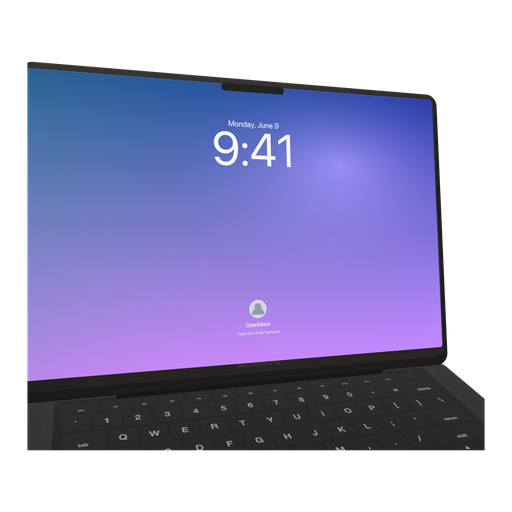
Launches with a gallery video do measurably better on Product Hunt than launches with stills alone — but a weak video does less than a strong image set, so the bar is "clearly shows the product doing its best thing," not "cinematic." This guide covers the current requirements, the structure that works in a muted-autoplay gallery, and a workflow that produces the video and the gallery images from one OpenMock scene in about half an hour.
Product Hunt's requirements (September 2026)
| Asset | Requirement |
|---|---|
| Gallery video | A YouTube URL (public or unlisted). Direct MP4 upload is not accepted |
| Video length | No hard limit; 30–90 seconds is the range that performs. Most successful launches land at 45–75 s |
| Playback | Autoplays muted in the gallery — it must work without sound |
| Gallery images | At least two required; 1270 × 760 recommended |
| Thumbnail / first frame | Product Hunt shows the YouTube thumbnail; set it deliberately |
| Aspect ratio | 16:9 (it is YouTube) |
The two constraints that shape the video: it is hosted on YouTube, so YouTube's encode applies, and it plays silently, so any narration is wasted and any text must be on screen.
What a Product Hunt video should do
Product Hunt's audience is makers and early adopters. They want to see the product, not a brand film.
- Product on screen within five seconds. No animated logo, no "the story of." Open on the app doing something.
- Show the core loop once, cleanly. The one interaction that explains why this exists. If you need two, make them two clear shots.
- Text does the talking. Short on-screen lines — the problem, the promise, the one feature — because sound is off.
- End with the name and the tagline. People upvote what they can remember.
Sixty seconds is plenty for that. Ninety is the ceiling before the gallery scroll wins.
The 30-minute workflow
0–5 min: capture
Record the core loop on the real device or simulator — iOS Screen Recording for a mobile app, QuickTime or OBS for desktop and web. Twenty to forty seconds of good footage. Clean status bar, real data, deliberate pace.
5–20 min: build the scene
In OpenMock:
- Pick the device that matches your product: MacBook Pro 14-inch or Pro Display XDR for web and desktop software, iPhone 17 Pro for mobile, both for a cross-platform product (multi-shot scenes can switch devices).
- Drop the recording on the device; trim to the loop; set speed to tighten.
- Canvas ratio 16:9.
- Environment Dark Room with screen glow for the "launch keynote" look that reads well against Product Hunt's light UI, or Studio if your brand is clean and bright. Brand-colour gradient background.
- Build the timeline:
- Shot 1 (3 s): device tilted, camera settles straight-on as the recording starts.
- Text shot (2 s): the problem, in one line.
- Shot 2 (20–40 s): the recording, slow push-in, motion blur low.
- Text shot (2 s): the promise.
- Shot 3 (5 s): pull back; optional second device for a cross-platform beat.
- Logo shot (3 s): name, tagline, URL.
- Fades between shots; no audio needed (or add a track for the people who unmute — it will not hurt).
20–25 min: export
- Video: 1920 × 1080, 30 fps (60 if the recording scrolls fast). Pro removes the watermark and can render 4K, which YouTube will serve to viewers on large screens.
- Gallery images: from the same scene, export image at a custom 1270 × 760 — a still of shot 1 as the hero image, a still of shot 2 with a headline as the second. Image exports are free, so make four or five.
- Thumbnail: export a 1920 × 1080 still of the best-looking frame and set it as the YouTube thumbnail so the gallery preview is not a random mid-transition frame.
25–30 min: upload
Upload the MP4 to YouTube as unlisted (it does not need to live on your channel), set the thumbnail, copy the URL into the Product Hunt launch form, and add the gallery images in order: hero first, headline second, then features.
Mistakes seen on launch day
- Opening on a logo or a title card. The gallery autoplays; the first two seconds decide whether anyone stays.
- Narration with no captions. It is muted. Every point must be on screen.
- Ninety-plus seconds. The scroll wins. Cut the second feature into a gallery image instead.
- Private YouTube video. Public or unlisted only; a private link shows an error on your launch page.
- Random thumbnail. Set it, or the gallery shows whatever YouTube picked.
- Screen recording without context. A bare UI rectangle looks like a bug report; the device and the lighting are what make it look like a product.
FAQ
What size should a Product Hunt video be?
16:9 at 1920 × 1080 (or 3840 × 2160) — it is hosted on YouTube, so YouTube's specs apply. Product Hunt itself only takes the link.
How long should a Product Hunt launch video be?
Thirty to ninety seconds; most strong launches land between 45 and 75. Show the product in the first five seconds and assume the sound is off.
Can I upload an MP4 directly to Product Hunt?
No. Upload it to YouTube (public or unlisted) and paste the URL. Gallery images are uploaded directly; 1270 × 760 is the recommended size.
Do I need a video at all?
Not strictly — two gallery images are the minimum. Launches with a good video get more engagement, but a strong still set beats a weak video.
Can I make the gallery images from the same project as the video?
Yes. In OpenMock, export stills from the same scene at a custom 1270 × 760; image exports are free, so a full gallery set costs nothing.