 OpenMock Blog
Device mockups
iPad Pro mockup: 3D images and videos in your browser
Put a screenshot or recording on a 3D iPad Pro and export PNG or MP4 — free, no signup, nothing uploaded. Specs, steps and store sizes.
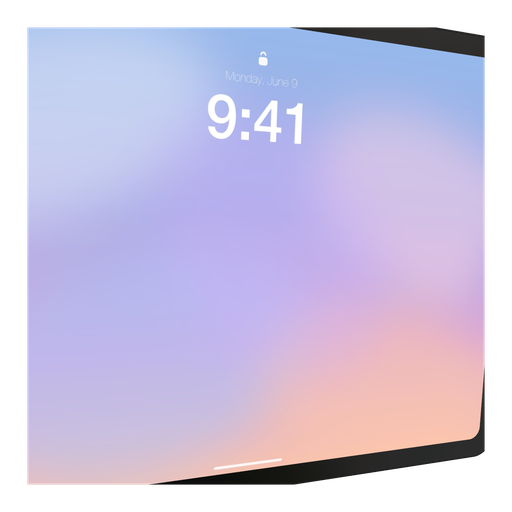
Tablet apps are hard to show off — a phone screenshot tells the story in a glance, but an iPad screen is a 4:3 canvas full of panels and sidebars. A 3D iPad Pro with a slight tilt and a soft environment reflection turns that density into a feature: it looks like a workstation. OpenMock's iPad Pro is the 13-inch, thin-bezel design, rendered with the same procedural approach as the phones.
iPad Pro screen specs you need for a clean mockup
| Display | 13-inch Ultra Retina XDR (M5 generation) |
| Native resolution | 2064 × 2752 px (portrait) / 2752 × 2064 (landscape) |
| Aspect ratio | 4:3 |
| App Store screenshot slot | iPad 13-inch — 2064 × 2752 or 2752 × 2064 (required for iPad apps) |
| App Store preview video | 1200 × 1600 portrait or 1600 × 1200 landscape, 15–30 s |
Apple requires the 13-inch set for every iPad app and scales it down for smaller iPads, so the 13-inch iPad Pro is the one tablet mockup you really need. Its 4:3 screen fits a 4:3 canvas edge-to-edge; on 16:9 it leaves generous room for a headline beside the device.
How to make an iPad Pro mockup (about two minutes)
- Open OpenMock in a desktop browser. There is no account and no upload — your files stay on your machine.
- In the Mockup panel pick iPad Pro. Portrait and landscape are just a rotation of the same model — set the orientation to match your screenshot.
- Drag a screenshot or a screen recording onto the canvas. Landscape 2752 × 2064 screenshots are the most common for productivity apps; portrait 2064 × 2752 for reading and drawing apps.
- Set the canvas ratio in the top bar — 4:3 for a tight product shot, 16:9 for a landing-page hero with copy, or the App Store · iPad preset.
- Frame it: pan, zoom, tilt and roll the camera, and lower the camera a little so the tablet sits on the ground plane like it would on a desk. Choose a background (solid, gradient, image or blurred image) and a lighting environment (Studio, Concrete or Dark Room).
- Export. Image gives you PNG, JPEG or WebP at any preset or custom size — transparent PNG included — free forever. Video renders an MP4 with motion blur and optional audio.
Turning the iPad Pro into a promo video
iPad videos work best landscape, in a 16:9 export, with the camera slowly drifting sideways while the screen recording shows a real workflow. Depth of field helps here more than on phones: soften the far edge and the eye lands on the UI. Use Concrete lighting for a desk-like warmth.
Video exports are free up to 720p at 30 fps with a small watermark. Pro ($5/month or $36/year) removes the watermark and unlocks 4K and 60 fps, plus project save/open so you can come back to a scene later.
Where an iPad Pro mockup works best
- Required App Store 13-inch screenshots (2064 × 2752 / 2752 × 2064)
- Productivity, drawing, note-taking and education apps that live on tablets
- Landscape landing-page heroes where the device can carry a large UI
- Multi-device scenes — iPad Pro next to an iPhone 17 Pro shows a universal app
Tips that make iPad Pro renders look real
- Show real content; empty tablet UIs look like wireframes at this size
- A 10–15° tilt around the vertical axis adds depth without hiding the interface
- Use the blurred-image background with your own brand photo for editorial shots
- For Apple Pencil apps, a short screen recording of a stroke being drawn beats any still
FAQ
Is the iPad Pro mockup free?
Yes. Image exports (PNG, JPEG, WebP, including transparent PNG) are free with no signup and no watermark. Video exports are free at up to 720p/30 fps with a watermark; Pro removes it and unlocks 4K and 60 fps.
What resolution should my iPad Pro screenshot be?
Match the native display, 2064 × 2752 px (portrait) / 2752 × 2064 (landscape), or any image with the same aspect ratio (4:3). OpenMock scales and fits the screen automatically, so a slightly different size still works — just avoid upscaling small captures.
Can I use a screen recording instead of a screenshot?
Yes. Drop an MP4 or MOV (including HEVC recordings straight from an iPhone or Mac) onto the iPad Pro; the recording plays on the screen and you can trim it, change its speed and animate the camera around it before exporting an MP4.
Do I need 12.9-inch and 11-inch iPad screenshots as well?
No. Apple requires only the 13-inch set for iPad apps and generates scaled versions for other sizes. Provide the 12.9-inch (2048 × 2732) or 11-inch (1488 × 2266) sets only if you want pixel-exact control for those devices.
Can I make an iPad App Store preview video in OpenMock?
Yes — export video at a custom size of 1200 × 1600 (portrait) or 1600 × 1200 (landscape), 30 fps, between 15 and 30 seconds. Check Apple's App Store Review Guidelines on what a preview may show before you add heavy framing.